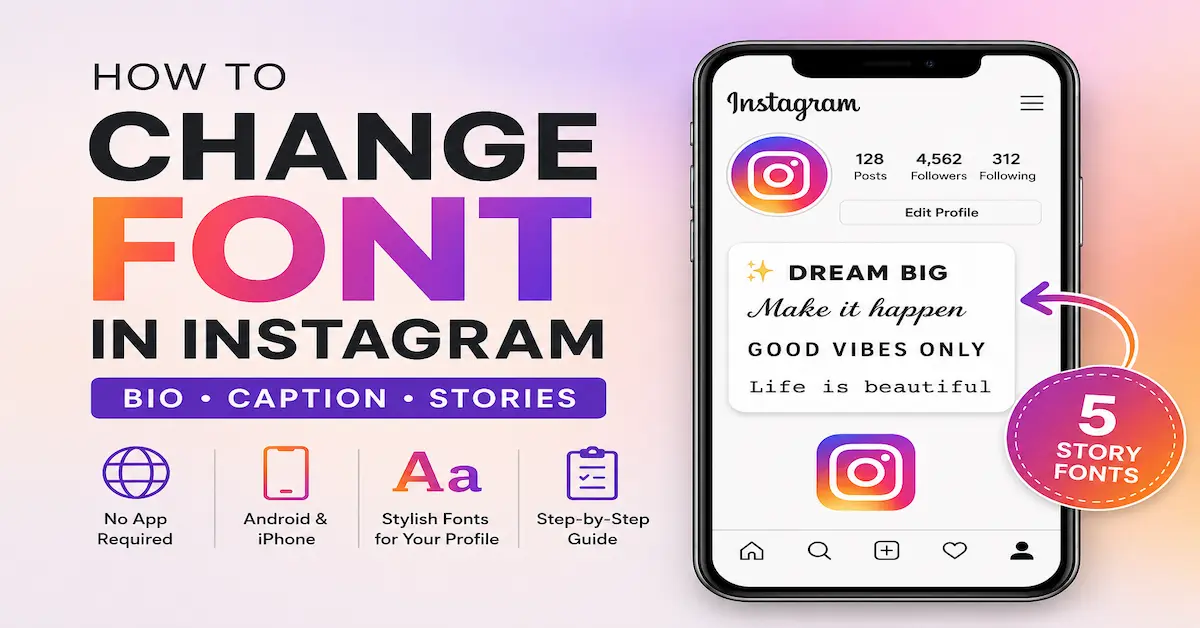
How to Change Font in Instagram
A complete guide to changing your Instagram bio font, caption font, and Stories font. Covers font generators, step-by-step instructions, and Hindi text tips.
- Introduction
- What Font Does Instagram Use
- Why You Cannot Change Fonts Directly
- How to Change Font on Instagram Bio
- How to Change Font on Instagram Caption
- How to Change Instagram Bio
- iPhone and Android Differences
- Change Font for Instagram Stories
- Best Free Font Generators
- Hindi and Indic Language Users
- Things to Know Before You Change
- Frequently Asked Questions
👋 Introduction
Your Instagram profile is the first thing people see. The text in your bio and captions tells visitors who you are before they scroll through a single photo. So it makes sense to want it to look a little more interesting than plain default text.
Instagram does not let you install custom fonts directly inside the app. But there is a workaround that millions of users already know about. It involves Unicode characters, a free online tool, and about 30 seconds of your time.
This guide covers how to change font in Instagram for your bio, captions, and Stories. It also explains what fonts Instagram actually uses, why the trick works, and how to avoid the most common mistakes people make when changing their Instagram bio font.
🔤 What Font Does Instagram Use?
Before changing anything, it helps to know what you are starting with.
Instagram uses two system fonts depending on your device. On Android, the app uses Roboto. On iPhone, it uses San Francisco. Both are clean, minimal, and designed to be easy to read on small screens.
The Instagram logo uses a custom font called Instagram Sans. Meta introduced it in 2022 to create a unified brand identity across all platforms. You will see it in the wordmark and some branded elements, but it is not available to users directly.
When you create an Instagram Story, the app gives you five built-in font styles to choose from:
These five options only work inside Stories. For your bio and captions, Instagram gives you no font options at all. That is where Unicode generators come in.
💡 Why You Cannot Change Instagram Fonts Directly
Instagram does not have a built-in font changer for bios or captions. This is a deliberate design decision. The app wants a consistent visual experience across all profiles.
What people actually do when they change their Instagram bio font is paste in Unicode characters that look like different font styles. Unicode is a global text standard that covers millions of characters across hundreds of scripts and writing systems. Some of those characters visually resemble styled Latin letters: bold, italic, script, monospace, and more.
Because Instagram supports Unicode, these characters paste in and display correctly. The result looks like a font change, but technically you are typing in a different alphabet.
✏️ How to Change Fonts on Instagram Bio
This is the most popular reason people look up this topic. Here is how to do it step by step.
Open your browser and go to a font generator like IGFonts.io, LingoJam, CoolSymbol, or Meta Tags Font Generator. All are free and need no account.
Enter the text you want to style. Most generators show a live preview of every available style as you type. Scroll through and find one that fits your profile.
Click the Copy button next to the style you want. The text is now on your clipboard and ready to paste.
Open the Instagram app. Tap your profile picture at the bottom right. Tap Edit Profile. Tap the Bio field.
Delete any existing text if needed, then paste your styled text. Check the spacing and line breaks. Tap Done or Submit to save. Your Instagram bio font change is now live.
📝 How to Change Font on Instagram Caption
The same method works for captions. The process is identical to the bio steps above.
Go to your chosen font generator and type the caption text you want to style.
Choose a font style from the list and tap the Copy button.
When creating a new Instagram post, paste the styled text into the caption field. Finish your post and share it as normal.
👤 How to Change Instagram Bio
Not everyone wants a decorative font. Sometimes you just need to update the words in your bio. Here is how to change your Instagram bio without any font changes.
Tap your profile icon at the bottom right of the screen.
The button appears just below your profile picture and follower count.
Your current bio text will appear. Edit it as needed. You can add text, emojis, and line breaks.
Instagram updates your bio immediately. No separate save step is needed.
Your bio can also include a website link and contact details. These are managed from the same Edit Profile screen using the Link and Contact Options fields.
📱 How to Change IG Bio Fonts on iPhone and Android
The font generator method works the same on both platforms. The only difference is where you open your browser to use the generator.
iPhone
- Open Safari or Chrome
- Go to your font generator
- Copy the styled text
- Switch to Instagram
- Paste into the Bio field
- If auto-correct fires, tap Undo right away
Android
- Open Chrome or any browser
- Go to your font generator
- Copy the styled text
- Switch to Instagram
- Paste into the Bio field
- Most Android phones handle Unicode cleanly
✨ How to Change Instagram Font for Stories
Stories give you built-in font options directly inside the app. No generator is needed.
Tap the plus icon and select Story. Add a photo, video, or image from your gallery.
Tap the Aa icon at the top of the screen. A text box appears with a keyboard.
Enter whatever text you want to display on your Story.
Swipe left or right at the top of the screen to cycle through Classic, Modern, Neon, Typewriter, and Strong.
Tap Done, then drag your text anywhere on the canvas. Pinch or spread with two fingers to resize it.
You can also change the text color, add a background highlight behind the text, and layer multiple text boxes with different font styles on the same Story.
🛠 Best Free Instagram Font Generators
There are dozens of tools available. These are the most reliable and widely used ones right now.
Clean and fast. Shows a large preview of each style. Works well on both mobile and desktop browsers.
Best for mobileOffers a lot of variation and is good for finding unusual or decorative styles not found on other tools.
Most varietyIncludes a large library of symbol and emoji-based font styles alongside standard Unicode styles.
Symbol stylesShows a live preview of what your bio will look like on an actual Instagram profile mockup before you commit.
Best preview🇮🇳 Changing Font for Hindi and Indic Language Users
If you write Instagram bios or captions in Hindi, there is an extra step you need to be aware of.
The Krutidev Problem
Many Hindi users type in Krutidev encoding, which is a popular legacy keyboard layout for Hindi text. Krutidev characters do not display correctly on modern platforms including Instagram. If you paste Krutidev text into your bio, your contacts will see garbled or unreadable characters instead of proper Hindi.
The Solution: Convert to Unicode First
The solution is to convert your Krutidev text to Unicode before pasting it into Instagram. Unicode Hindi displays correctly on all devices, all browsers, and all apps. You can use the Krutidev to Unicode converter to do this instantly. Paste your Krutidev text, convert it, and then copy the Unicode output into Instagram. The result is clean, readable Hindi that works everywhere.
Build Your Hindi Typing Speed
If you are learning to type Hindi more efficiently before creating Instagram content, an Hindi Typing Test is a practical way to build speed and accuracy. Faster and cleaner typing means fewer errors when writing captions and bios in Hindi.
Understanding Hindi Font Options
For users who need specific Hindi fonts for their content workflow, knowing your options matters. Mangal font is a Unicode-based Hindi font that is compatible with Windows and web platforms and is commonly used in professional and government contexts. If you work with Hindi content across multiple platforms, understanding the difference between Krutidev font and Unicode fonts like Mangal will save you a lot of time and frustration when preparing text for Instagram or any other modern app.
⚡ Important Things to Know Before You Change Instagram Fonts
-
♿
Screen reader accessibility. Unicode styled characters are sometimes not read correctly by screen readers. A word in a decorative Unicode font may be read aloud as a string of individual character names. For this reason, avoid putting your entire bio in a decorative font. Use styling for one or two words at most.
-
🔄
Instagram name change limits. Instagram treats a font change in your name field the same as a name change. The platform limits how many times you can change your name in a short period. Test your font before committing and avoid changing it multiple times in one day.
-
📱
Fonts look different on different devices. Unicode characters are rendered by the device's operating system, not by Instagram. The same styled text may look slightly different on an older Android phone compared to a recent iPhone. Stick to basic Unicode styles for the most consistent results.
-
✂️
Keep bios short. Styled text can make a bio look cluttered fast. The most effective Instagram bios are a few lines at most. Choose one or two elements to style and leave the rest in plain text for readability.
-
🔍
Styled fonts can affect search. Plain text in your name and username is more searchable on Instagram. If discoverability matters to you, keep your name in plain text and use styled fonts only in the bio description below it.
❓ Frequently Asked Questions
Can I change the Instagram font permanently without copy-pasting every time?
No. Instagram does not support permanent font customization for bios or captions. Every time you want styled text, you need to generate and paste it. Most people save their styled bio text in their phone's Notes app so they can update it quickly without visiting the generator again.
Does changing the font in my Instagram bio affect search?
Styled Unicode characters in your name or bio can affect how Instagram's search indexes your profile. Plain text is more searchable. If discoverability matters to you, keep your username and name in plain text and use styled fonts only in the bio description.
Do styled fonts work in Instagram comments?
Yes. The same copy-paste method works in comments. Generate your text, copy it, and paste it into the comment field before posting.
Can I use font generators on a computer to change my Instagram bio?
Yes. Generate the text on your desktop browser, copy it, then open Instagram Web on the same computer and paste it into your bio. Alternatively, send the text to your phone via a notes app and paste from there.
Why does my pasted Hindi text look wrong on Instagram?
You are most likely using Krutidev encoding. Instagram only supports Unicode. Convert your text using the Krutidev to Unicode converter before pasting it into Instagram. The converted text will display correctly on every device and platform.
What is the difference between Mangal font and Krutidev font for Instagram?
Krutidev is a legacy encoding format. Text typed in Krutidev will not display correctly on Instagram. Mangal is a Unicode-based font, which means it is fully compatible with Instagram and all modern platforms. Learn more about the differences on our Mangal font and Krutidev font pages.
Can I use these font tricks on other social media platforms?
Yes. Because the styled text is made of Unicode characters, it works on any platform that supports Unicode input, including Twitter, Facebook, LinkedIn, and WhatsApp. The copy-paste process is the same across all of them.
✅ Conclusion
Changing fonts on Instagram is simple once you know how it works. Use a free Unicode font generator, copy your styled text, and paste it into your bio or caption. For Stories, use the five built-in font styles inside the app directly. No downloads, no subscriptions, and no technical skill needed.
For Hindi users, the key step is converting Krutidev text to Unicode before pasting into Instagram. This one extra step ensures your Hindi bio looks correct on every device. And if you want to type Hindi faster for your content workflow, an Hindi Typing Test is a practical place to improve.
Your bio is often the first thing someone reads about you. Keep it clear, keep it short, and let the font do a small amount of work, not all of it.